Who is this article for?
This article is for instructors who would like to use auto grading on their Paced Social Annotation assignments.
What’s new?
Hypothesis now offers an additional auto-grading mode specifically for Paced Social Annotation assignments. Previously, the only auto-grading mode available was Single Grade, which calculates a student’s grade based on annotations and/or replies for the entire assignment.
Now, auto-grading also offers Paced Grades. It still grades students based on their participation, but it tracks their annotations and replies in two separate phases: the work they do while annotations are hidden, and the work they do after annotations are revealed.
How to configure auto grading for Paced Social Annotation assignments?
To configure auto grading, make sure the Hypothesis assignment you’re working on is a Paced Social Annotation assignment. If you need guidance on setting up Paced Social Annotation assignments, please view our related article here.
When creating a new or editing an existing Hypothesis assignment, you’ll land on a page where you can enable auto grading.
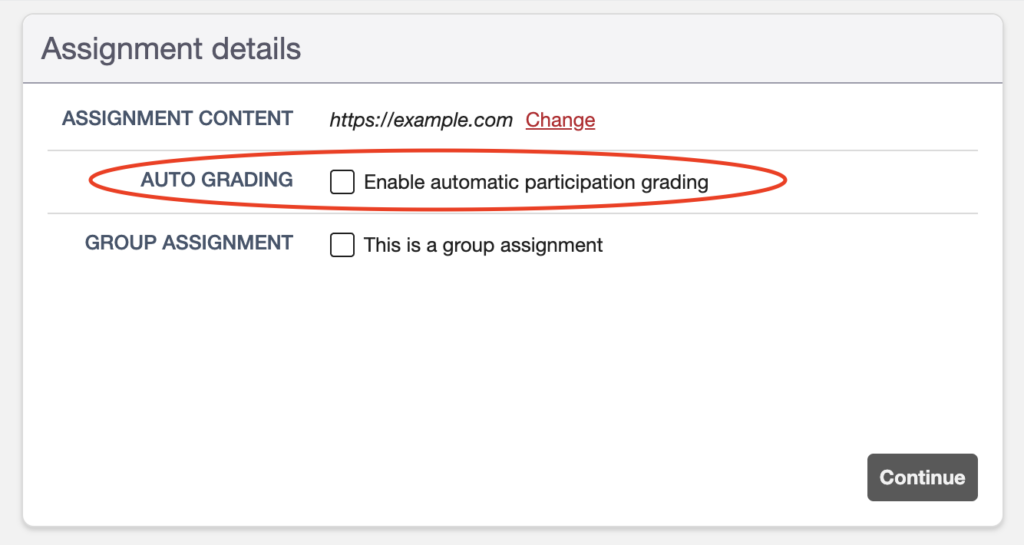
Check the auto-grading option, and you’ll be presented with two grading mode options: Single Grade and Paced Grades.
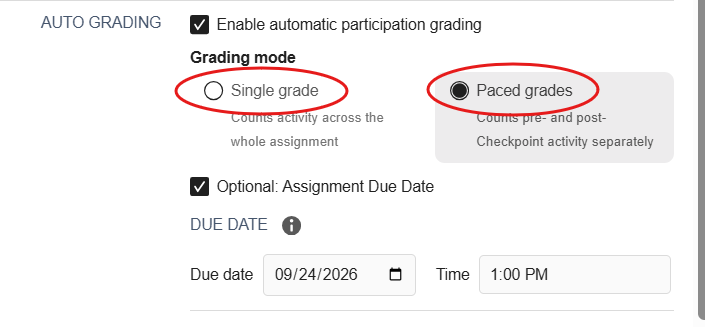
- Single Grade – Use the Single Grade option if you want auto grading to calculate the grade of the student based on their participation for the hide and reveal phases combined.
- Paced Grades – Use the Paced Grades option if you want auto grading to calculate the grades for the hide and the reveal phases separately and then average them to come up with a final grade.
Configuring Single Grade Grading Mode
In Single Grade grading mode you only need to specify the following settings:
Grading Type
- “All or Nothing” grades will give 100% or 0% of the points available in your assignment. You will specify Minimums numbers your students must reach to get full credit. If you ask for four annotations, students with three annotations will get 0%.
- “Proportional” grades will give a grade that’s proportionate to the Goal you specify. If you ask for four annotations, students with three annotations will get 75%.
For both grading types, the max grade is 100%. If you ask for four annotations, students with five annotations would only get the 100% credit as if they had made four.
Activity Calculation
- “Calculate cumulative” will use a combined count of annotations and replies and work towards a single number. If you ask for four total notes, students with two annotations and one reply will receive a 3/4 = 75%.
- “Calculate separately” will ask you to specify both a count of annotations and a count of replies.
- For “All or Nothing” grades, failing to get to the minimum in either or both categories results in a failure. If you ask for two annotations and two replies, students with two annotations and only one reply get a 0%.
- For “Proportional” grades, extra annotations do not make up for a shortfall of replies, and vice versa. If you ask for two annotations and two replies, students with three annotations and one reply get a 75% (3/2 annotations counting as 2/2 annotations, and 1/2 replies, meaning 3/4 possible notes).
Number of Notes Required (Goal)
Set your Goal or Minimum number of notes that students need to reach.
Note: The goal can be edited anytime, and auto-grading will automatically recalculate grades based on the new goal set.
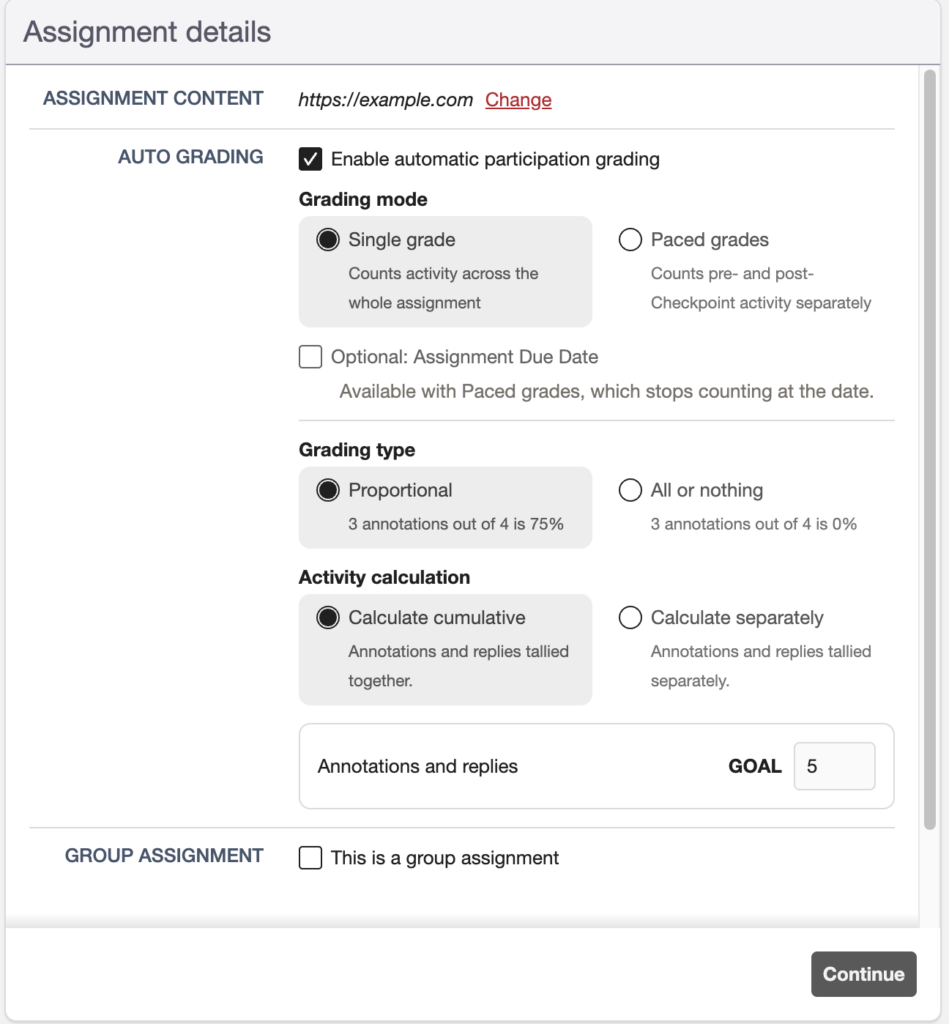
Note: The Assignment Due Date option is only applicable to Paced Grades and not with the Single Grade mode.
Once the Single grade option is applied in your Hypothesis assignment, this is how it will look like in the LMS Reporting Dashboard.
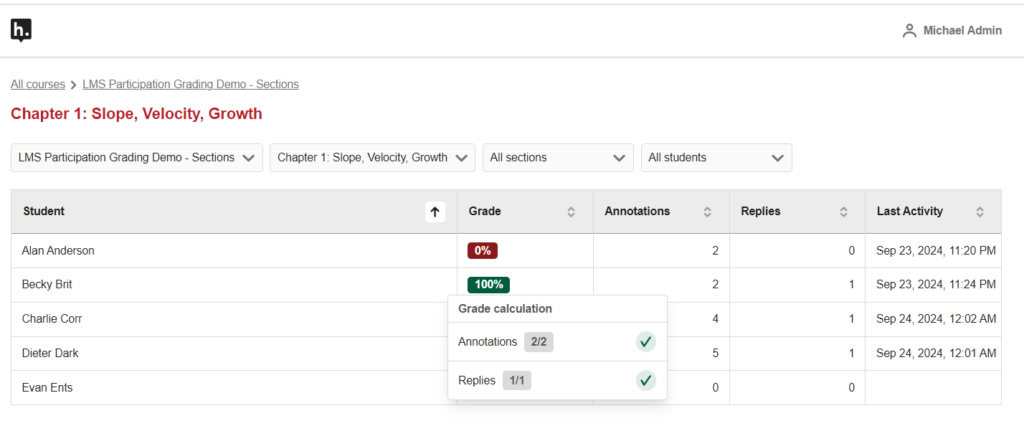
Notice that the dashboard doesn’t distinguish whether the annotation or reply was posted during the hide or reveal phase.
Configuring Paced Grades Grading Mode
In Paced Grades grading mode, you have to configure the following:
Due Date (Optional)
An optional component that allows you to tell Hypothesis when to stop counting student work towards the auto-grading goals, regardless of what phase you’re in.
Grading Type
- “All or Nothing” grades will give 100% or 0% of the points available in your assignment. You will specify Minimums numbers your students must reach to get full credit. If you ask for four annotations, students with three annotations will get 0%.
- “Proportional” grades will give a grade that’s proportionate to the Goal you specify. If you ask for four annotations, students with three annotations will get 75%.
For both grading types, the max grade is 100%. If you ask for four annotations, students with five annotations would only get the 100% credit as if they had made four.
Activity Calculation
- “Calculate cumulative” will use a combined count of annotations and replies and work towards a single number. If you ask for four total notes, students with two annotations and one reply will receive a 3/4 = 75%.
- “Calculate separately” will ask you to specify both a count of annotations and a count of replies.
- For “All or Nothing” grades, failing to get to the minimum in either or both categories results in a failure. If you ask for two annotations and two replies, students with two annotations and only one reply get a 0%.
- For “Proportional” grades, extra annotations do not make up for a shortfall of replies, and vice versa. If you ask for two annotations and two replies, students with three annotations and one reply get a 75% (3/2 annotations counting as 2/2 annotations, and 1/2 replies, meaning 3/4 possible notes).
Paced grades targets
When using Paced grades, you can set your auto-grading targets (Goals or Minimums) for both the Hidden and Revealed phases of the assignment. The Hidden phase takes place before the Checkpoint (when the instructor clicks “Reveal annotations”) and the Revealed phase takes place after the Checkpoint.
Note: Targets can be edited anytime, and auto-grading will automatically recalculate grades based on the new targets.
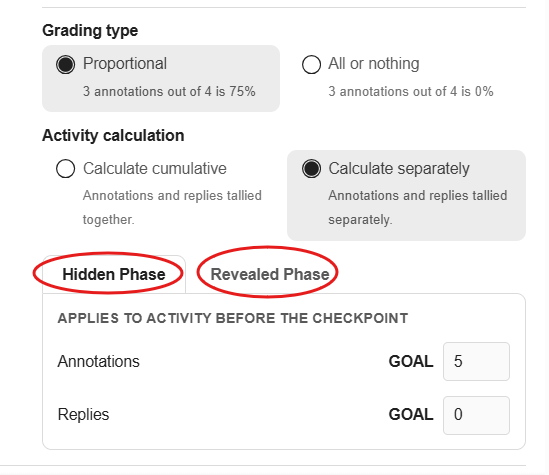
Note: The Hidden and Revealed Phase grades always use the same Grading Type and Activity Calculation settings. Setting a separate Grading Type and Activity Calculation for each phase isn’t currently available.
Once Paced Grades is applied in your Hypothesis assignment, this is how it will look like in the LMS Reporting Dashboard.
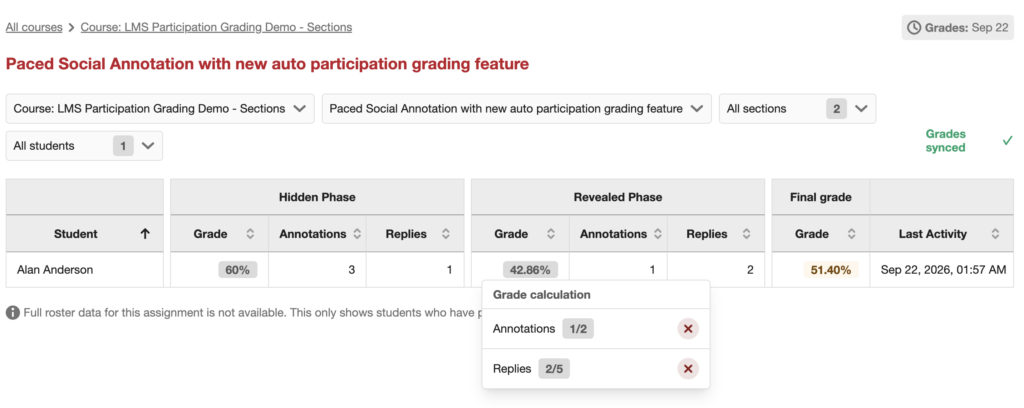
Notice that separate grades were calculated for the hidden and reveal phases.
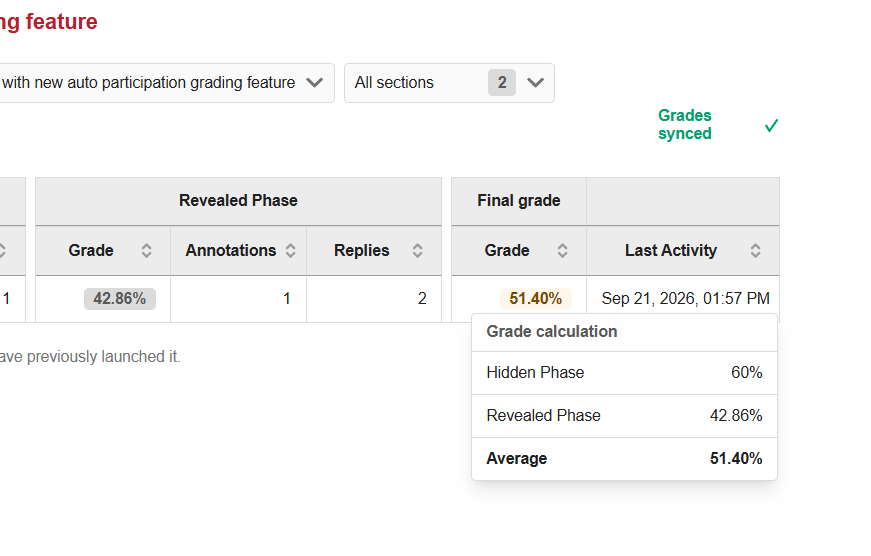
The final grade is a simple average of the grades from the hidden and revealed phases.